
Credits And Pricing
What credits pay for, what each package costs, and how to check your balance and buy more.
Your AI team's work is paid for with credits. This guide covers how you get them, what they cost, and where to check your balance.
In this guide: welcome credits, what uses credits, checking your balance, buying more, and every package and price.
Welcome credits
The first Genesis users, the people let in from the whitelist at launch, get 5,000 welcome credits each. They're added when you sign up, so there's nothing to claim. See Genesis campaign for more.
What uses credits
Your team's work uses credits, and that includes test runs in Sandbox & Test. Credits are shared across all your Organizations.
To see what each action typically costs, open Settings, Credit prices. Only admins and owners see this tab.
Check your balance
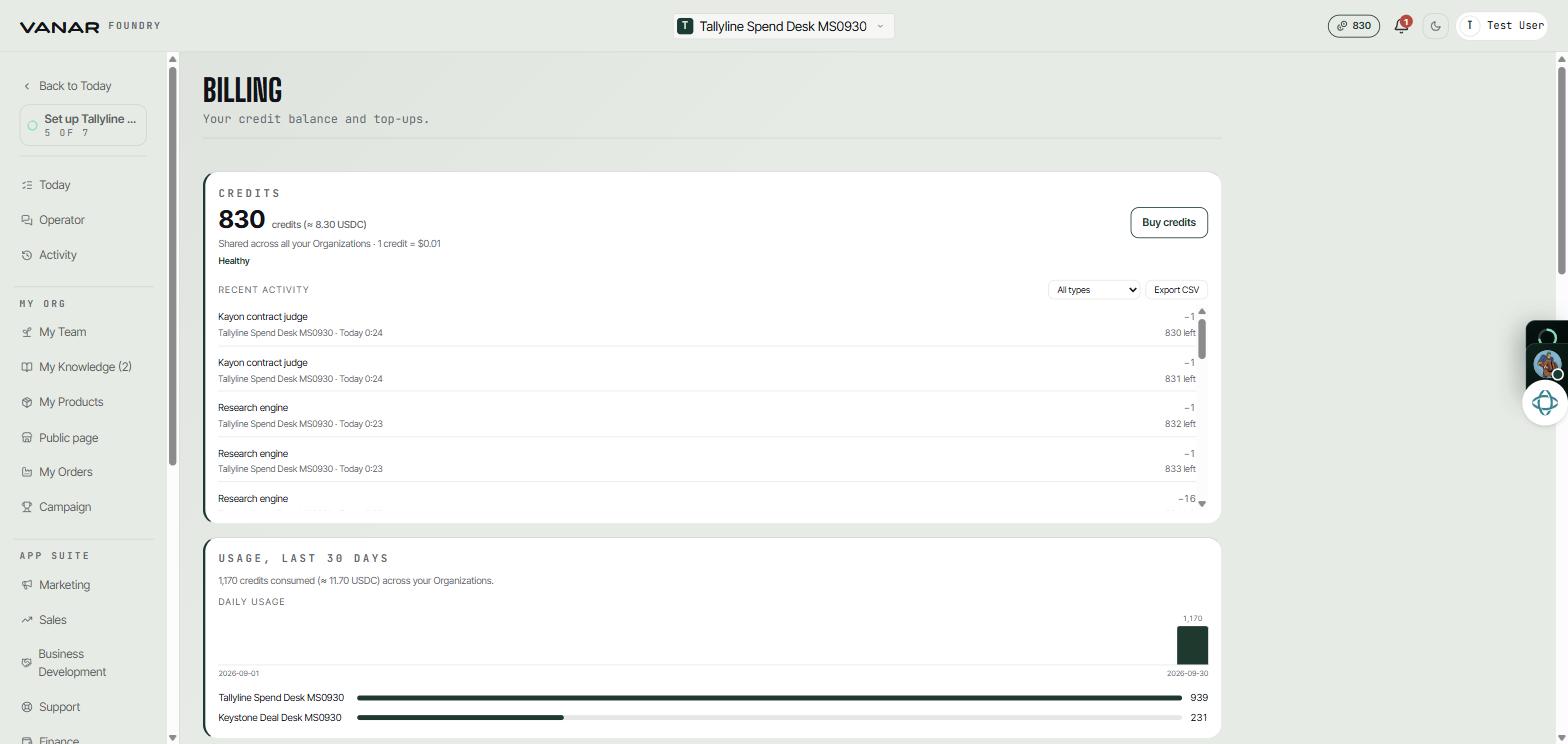
Open Settings, Billing. Your balance shows as Healthy, Running low, or Out of credits.
 Open full size
Buy credits
- In Settings,
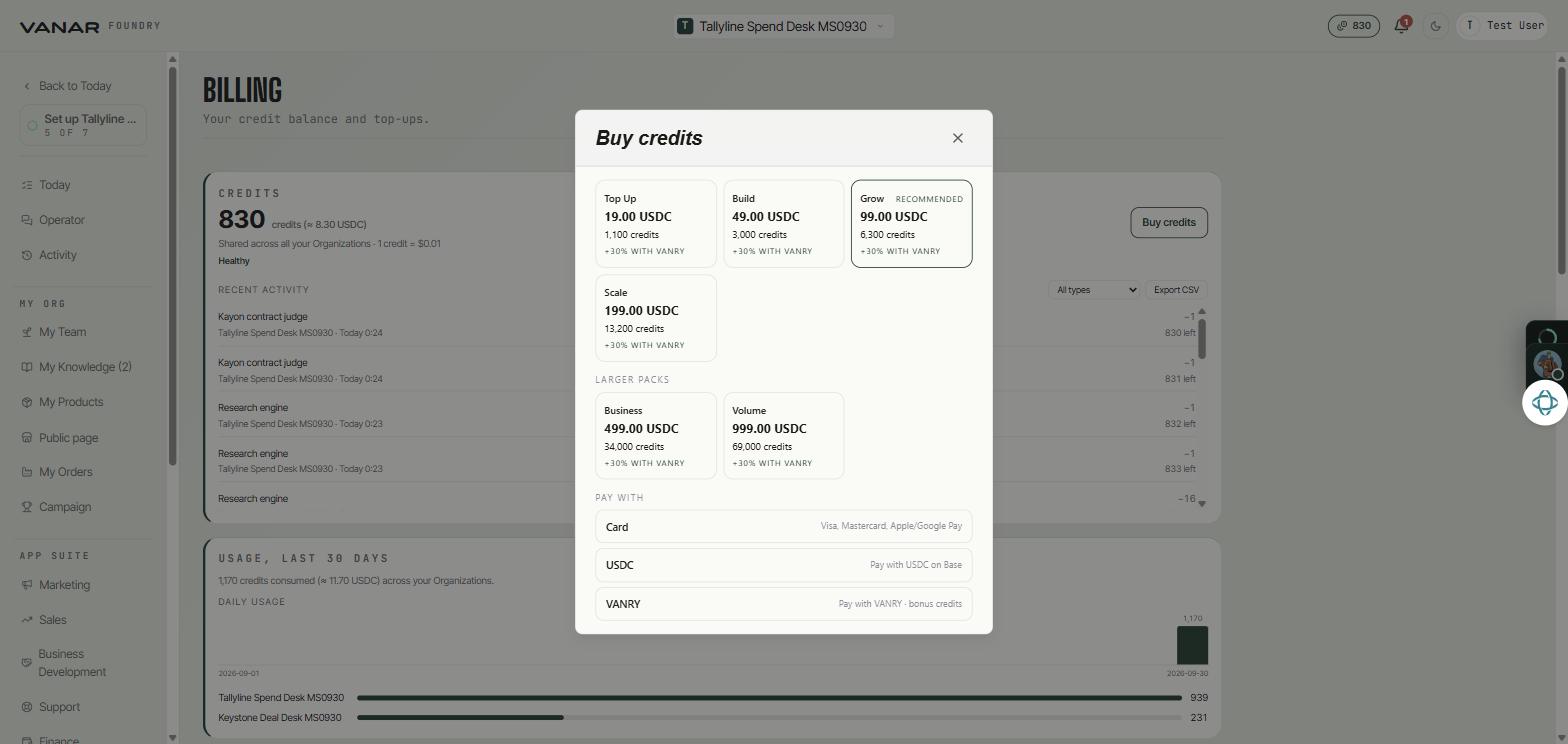
Billing, pressBuy credits. - Pick a package. Grow is marked Recommended and is picked for you. Business and Volume sit under "Larger packs".
- Choose how to pay. Paying with VANRY gives you 30% more credits.
 Open full size
Credit packages
| Package | Price | Card or USDC | With VANRY |
|---|---|---|---|
| Top Up | $19 | 1,100 | 1,430 |
| Build | $49 | 3,000 | 3,900 |
| Grow | $99 | 6,300 | 8,190 |
| Scale | $199 | 13,200 | 17,160 |
| Business | $499 | 34,000 | 44,200 |
| Volume | $999 | 69,000 | 89,700 |
The last two columns show how many credits you get. Bigger packages give you more credits for each dollar. Paying with VANRY adds 30% on top of any package.